






Fraud
Protect Yourself & Others
- Never give out login credentials over the phone, in person, or via email.
- This includes your user names and passwords.
- Watch what you’re sharing on social networks. Criminals can befriend you and easily gain access to a shocking amount of information—where you go to school, where you work, when you’re on vacation—that could help them gain access to more valuable data.
- If someone calls or emails you asking for sensitive information, it’s okay to say no.
- You can always call the company directly to verify credentials before giving out any information.
- Be sure to monitor your accounts for any suspicious activity. If you see something unfamiliar, it could be a sign that you’ve been compromised.
- ATM, Credit, and Debit Cards should be signed as soon as they arrive and only used for transactions in a secure setting (not on unfamiliar or suspicious websites).
- Do not utilize the “remember my card number” options on websites.
- Do not leave the cards out in visible, unsecured locations.
- Call us to immediately report a missing or stolen card.
- Tamper resistant checks are available through GSCU and utilize security features such as chemically sensitive paper to deter alterations.
- Statements, e-statements, bills and e-bills should be reviewed promptly upon receipt to verify that all transactions were made by authorized parties.
- Any transactions made by unauthorized parties should be reported to the appropriate financial institution, card issuer, or biller.
- Statements, bills, and transaction receipts that are to be discarded should be eliminated securely, for example by shredding, and should not be discarded in a readable form.
- Practice good password management by utilizing a strong mix of characters.
- At least 8 characters long.
- Avoid common words and phrases.
- Don't use personal information.
- Don’t use the same password for multiple sites.
- Don’t share your password with others.
- Don't write it down.
- Don't reuse past passwords.
- Use two-factor authentication when possible.
- Never leave your devices unattended.
- If you need to leave your computer, phone, or tablet for any length of time—no matter how short—lock it so no one can use it while you’re gone.
- If you keep sensitive information on a flash drive or external hard drive, make sure to secure it as well.
- Use strong passcodes or utilize biometric verification methods such as FaceID and fingerprint scanning.
- When using public Wi-Fi, refrain from sending or receiving private information.
- Use virus protection software on all computers connected to the Internet and ensure it is updated regularly. Most commercially available security software provides anti-virus, malware and firewall protection.
- Keep all applications, including your operating system patched, by setting your PC to automatically install updates.
- Turn off your computer or disconnect from the network when not in use. An intruder cannot attack your computer if it is turned off or disconnected from the network.
- Back up your data regularly.
- Be conscientious of what you plug in to your computer. Malware can be spread through infected flash drives, external hard drives, and even smartphones.
- Report any suspicious messages claiming to be GSCU to us: 1-800-645-4728.
- Report any other suspicious messages to the Federal Communications Commision and Federal Trade Commission
Recent Member Alerts
-
What is Check Fraud
Understanding what check fraud is and why it's increasing can help you protect your money and avoid becoming a victim.
-
What are direct deposit and mobile deposit scams?
Learn about direct deposit and mobile deposit scams and how to protect yourself.
-
Fake Law Firm Cryptocurrency Scams
Protect yourself from fraudsters impersonating attorneys, law firms, and government agencies.
-

Why a Beneficiary is a Good Idea
Go over what a beneficiary is and why is it a good idea to name one.
-

Message from our President & CEO, Michele Plaza
Please watch my recent video for more information regarding the growing threat that fraud represents to our community.
-

How to Talk with Family About Fraud
It can be difficult to talk to family members about fraud. Learn how you can better educate and protect your loved ones.
-
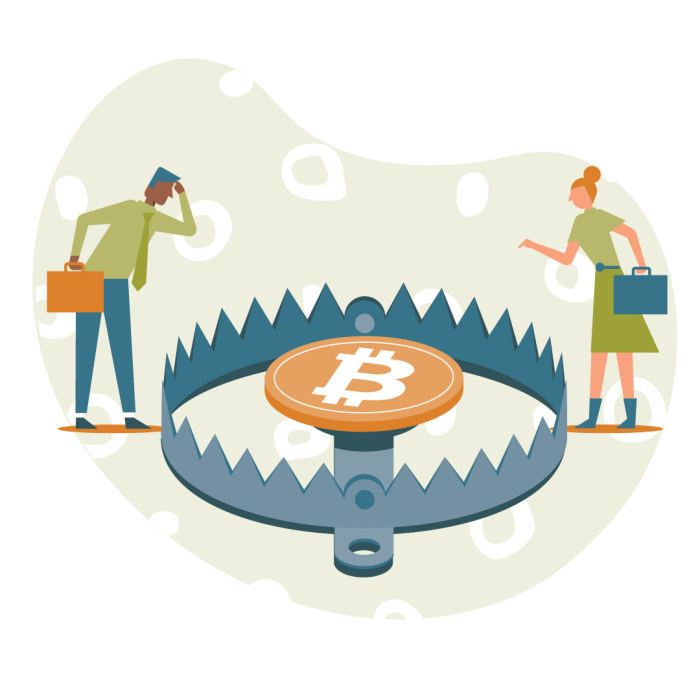
Beware of Crypto Scams
Cryptocurrency, or Crypto, is a type of digital currency purchased via phone, computer, or cryptocurrency ATM. Unlike traditional currency, crypto values frequently change and aren’t backed by the federal government. Using crypto doesn’t offer the same protections that a traditional bank account or debit card would.

Types of Scams
Common scams range in style, content, and purpose such as "romance" scams on dating apps or "grandparent" scams targeted toward seniors. Most of these scams have common signs that they are fraudulent.
Common signs to consider:
- If an offer seems too good to be true, it most likely is.
- Be cautious with any message offering to place money into your bank account.
- Is there a sense of urgency in the message?
- Are consequences noted if you don't act quickly?
- Is the message asking you to provide or update personal information?
- Social Security Number
- Bank Account Details
- Passwords
- Requesting payment through unconventional means.
Fraudsters send emails appearing to be from someone you know or a reptuable organization in an effort to gain personal information from unsuspecting victims.
How to spot a phishing email:
- Check for spelling mistakes and grammer errors within the email.
- Review the "From", and "To", areas within the message.
- Hover your mouse arrow over the name in the "From" column. By doing so, you will be able to tell if the email is from a recognizable domain that is linked to the actual sender name.
- If you notice that your email address is being identified as the "From address", this is a sign of a fake email message.
- Be wary if the "To" field reflects a large list of recipients. Legitimate emails will be sent directly to you and you only.
- You may see “undisclosed recipients” and this is something to keep an eye on as well. It could be a valid send, but double check by using the other tips identified.
- Pay attention to the email in the reply field. Does it match the sender of the original email?
- Most legitimate messages will be a mix of text and images. A poorly constructed phishing email may be missing images, including the company’s logo. If the email is plain text and looks different than what you’re used to seeing from that sender, go with your gut feeling and delete the message.
- Be careful when clicking on attachments or links in email.
- If it’s unexpected or suspicious for any reason, don’t click on it.
- Double check the URL of the website the link takes you to.
- Roll the mouse pointer over a link to reveal its actual destination before clicking on it.
- Make sure the link uses encryption (https://).
- Is this the first time the sender has included an attachment? Most organziations will not send out attachments via email.
- High risk attachments file types include: .exe, .scr, .zip, .com, .bat.
- It is a recommended best practice to always open a new window and go to the site directly without using the email link provided in an email.
Criminals attach a card-skimming device to an ATM or payment processing terminal to steal card information. This can be done with skimmers that read the magnetic strip or computer chip on the card, small cameras to record finger movement when entering passwords, electronic equipment directly installed into the ATM or payment terminal, or an overlay device on top of the keyboard area to record PINs.
Machines in public areas such as airports, gas stations, or stores are the most vulnerable.
How to protect yourself:
- Check all ATMs and other card-reading devices before use.
- Use ATMs inside buildings or in high-traffic areas that are harder to target.
- Opt for credit (or use your debit card as credit) to prevent access to your PIN.
- If an ATM looks suspicious, don’t use it. Report it to the bank or police.
Smishing combines the terms "SMS" and "phishing" to represent phishing scams presented through text message rather than email formats. A fraudster can disguise a text message to also appear to be from a trusted source.
How to spot a smishing text:
- Verify the source (email, phone number, etc.) by comparing to prior messages or finding the correct number on the source's website.
- Consider the tone of the message and be wary of:
- A sense of urgency
- A need to act quickly
- Dire consequences
Fraudsters make their phone number appear on Caller ID to be a trusted organization. These scammers use an automated dialing software to set up these calls and millions are made over the internet in a matter of minutes.
How to protect yourself:
- Utilize robocall blocking.
- Talk to your phone provider to learn more.
- Consider adding your phone number to the "Do Not Call" list.